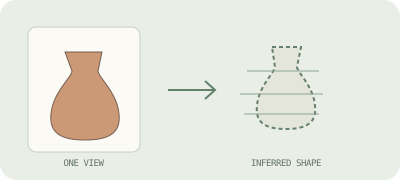
Single-image AI
One view goes in; a model estimates the unseen sides and depth. Fast to try, but hidden geometry is a prediction, not recovered evidence.
Understand the trade-offs ↗IMAGE TO 3D · FREE COMMUNITY DEMO
Start with a clear picture of one object. Try the TRELLIS community demo to generate a 3D asset, inspect it from different angles, and download a GLB file.
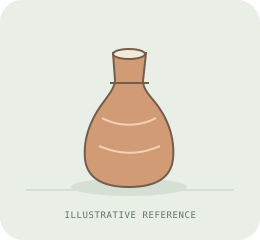 Reference image
 Illustrative shape only
TRY IMAGE TO 3D
1. Upload a clear image or select an example. 2. Click “Generate & Extract GLB”. 3. Inspect the result and download the GLB.
Powered by the TRELLIS community demo on Hugging Face. This is an embedded third-party tool, not our own inference service. Free GPU quotas, queues and sign-in requirements may apply.
Loading connects your browser to Hugging Face. Images selected inside the tool are uploaded to its service. Use non-sensitive images you have permission to process. Privacy details.
The external tool has not been loaded.
Tool slow, unavailable or out of quota? Open the TRELLIS demo on Hugging Face ↗. Loading it there does not reset your quota.
Single-image results infer unseen surfaces. Check the whole model before use; a GLB is not automatically a print-ready or dimensionally accurate model.
THREE ROUTES, DIFFERENT TRADE-OFFS
The right method depends on whether you want a quick concept, a better-informed shape, or a measured reconstruction.
One view goes in; a model estimates the unseen sides and depth. Fast to try, but hidden geometry is a prediction, not recovered evidence.
Understand the trade-offs ↗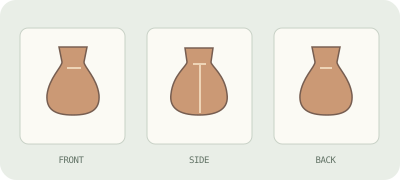
Several angles give the model more visual clues. Keep the same object, scale, lighting, and background as consistent as you can.
Compare image workflows ↗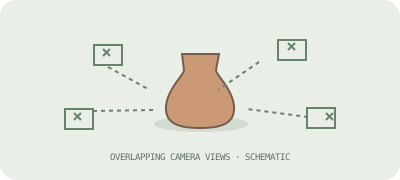
Many overlapping photos reconstruct visible surfaces from shared detail. It needs careful capture and struggles with reflective or featureless objects.
When measurements matter ↗A BETTER FIRST INPUT
01 One main object, clearly separated from its background.
02 Even light and sharp edges; avoid motion blur and deep shadows.
03 For multiple views, photograph the same object from distinct angles.
04 Check the mesh from every side before using or printing it.
VISUAL EXAMPLES
These original diagrams explain inputs and reconstruction choices. They are not AI outputs or samples from a working generator.
NEXT: PICK THE RIGHT OUTPUT
Learn what each method can and cannot infer, and choose an export format for your next step.
Explore the complete guide →